
If you’re new to running a FiveM server, the words map, MLO and YMAP get thrown around as if they mean the same thing. They overlap, but they’re not the same, and knowing the difference saves you from buying the wrong kind of file or installing two things that fight each other. Here’s a plain explanation for someone who just wants to know what to buy.
YMAP: the placement file
A YMAP is a GTA V map data file. Its job is to say “put these objects at these positions in the world”. That might be a few benches and a fence, a row of trees, or every piece of a custom building. YMAPs can also remove things from the vanilla map, which is how creators clear space for something new.
On its own, a YMAP that adds props is about the lightest kind of map change you can make. It doesn’t create a proper interior. It just places things. A lot of small exterior edits, like a parking lot, a market stall or an event stage, are YMAP-based.
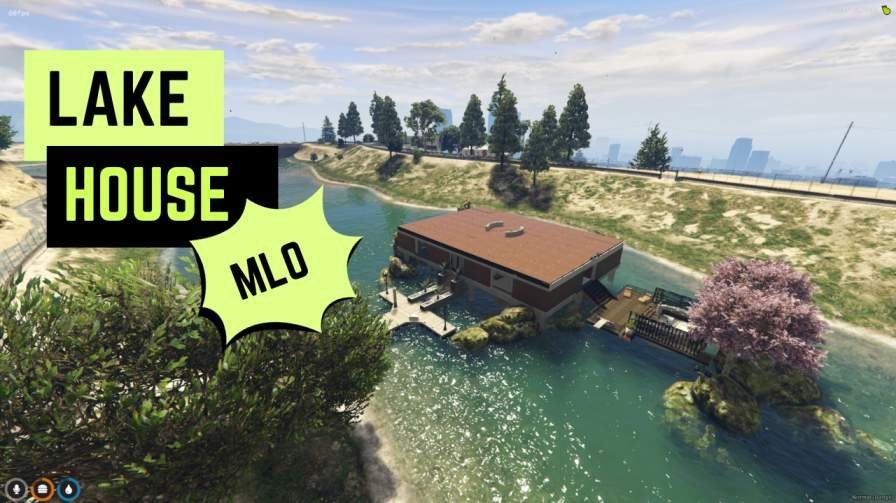
The labels get loose in practice, though. One lakeside cabin build in our YMAP range describes a cabin, a dock and outdoor areas, so it’s clearly more than a few props, even though it’s sold as a YMAP.
MLO: an interior the game understands
MLO stands for Map Loader Object. It’s an interior defined with rooms and portals, which tells the game what you can see from where. That’s what lets you walk through a door into a real room while the game hides the outside world you can’t see. Rockstar uses the same system for the vanilla interiors.
An MLO resource usually includes a YMAP to place it, a YTYP that defines the interior, collision files so you don’t fall through the floor, and texture files. So an MLO uses a YMAP, but it’s much more than one.
Because of the room and portal setup, a good MLO can actually perform better than a pile of props doing the same job. The game knows what to skip drawing. A badly built one, with huge textures or broken portals, can do the opposite.
“Map”: the umbrella word
When a store or a creator says “map”, they usually mean any resource that changes the world: new roads, reworked areas, exterior builds, whole islands, and sometimes MLOs too. It’s a category word rather than a file type. That’s why you’ll see the same building listed under maps and under MLOs on a lot of sites, including ours.
Our FiveM server maps category is a decent illustration. It has exterior areas and interiors side by side, because from a server owner’s point of view they’re all “things I add to my world”.
Which one do you need?
Ask what you’re trying to do:
- You want people to walk inside a building and do a job there, like a police station, hospital, restaurant or mechanic. That’s an MLO.
- You want to dress up an outdoor area, add parking, place a stage or build a small outdoor scene. A YMAP-based edit is often enough.
- You want to rework a whole district, add roads or change the terrain. You’re looking at a bigger map resource, which may include several MLOs and YMAPs.
If you want to see which items lean on placement files, the YMAP-tagged listings are grouped together. Some of them are full interiors as well, so read the description of each one rather than going by the label alone.
Why the difference matters when installing
Conflicts are the main reason to care. Two YMAPs that remove or add objects in the same spot will overlap. Two MLOs that replace the same vanilla interior will fight. And a YMAP from one creator can delete a wall that an MLO from another creator expects to be there.
Before you add anything, check what area it touches and whether you already run something there. If you buy from several creators, keep a simple list of which resource covers which address. That habit alone prevents most of the weird visual bugs people post about. When it does go wrong, our guide to MLO clipping and IPL conflicts explains what remove YMAPs do and how to track the clash down. The actual install steps are the same for all three, and they’re in how to install a FiveM MLO.
Performance in plain terms
Lots of loose props in a YMAP can be heavier than you’d expect, especially if they’re high-detail and all visible at once. MLOs hide what you can’t see, which helps, but big textures still cost memory. Whatever you add, stand in the area with resmon running and compare against a quiet part of the map.
Buying with the right expectations
If a listing just says “map”, read the description and look at the screenshots to work out whether you’re getting an interior, an exterior edit, or both. Then plan where it goes and what it might clash with. Our checklist for buying a FiveM MLO goes further on what to check before you pay. With that sorted, browsing FiveM MLOs gets a lot less confusing, because you know which kind of file solves the problem you actually have.